Excel template to help do your BAS for sole traders in Australia
As a sole trader in Australia, you wear many hats—entrepreneur, marketer, accountant, and more. Among these responsibilities, tax obligations can seem particularly daunting, especially when it comes to preparing your Business Activity Statement (BAS). However, leveraging an Excel template can transform this complex task into a manageable and even straightforward process. In this guide, we’ll explore how you can utilize these templates to efficiently navigate your BAS, ensuring you fulfill your obligations and maximize your potential claims. But first, let’s delve into what the BAS is and why it is crucial for your business.
Understanding the BAS: A Brief Overview
The Business Activity Statement (BAS) is a crucial document that Australian businesses must lodge with the Australian Taxation Office (ATO) if they are registered for Goods and Services Tax (GST), Pay As You Go (PAYG) withholding, or other tax obligations. The BAS helps you report and pay your GST, as well as other types of tax you may owe to the ATO.
- Why is BAS Important?
From cash flow management to compliance, the BAS is integral in keeping your business running smoothly. Precise BAS submissions can prevent hefty penalties and ensure that your accounts are in order. - Who Needs to Lodge a BAS?
Any business that is registered for GST or has withheld tax from employee wages must lodge a BAS. This includes sole traders, partnerships, and companies.
The Challenge of BAS Preparation for Sole Traders
Completing a BAS can be overwhelming, especially if you lack accounting experience or find numbers intimidating. The complexity can arise from various sources such as accumulating financial data, distinguishing between different types of income, and applying tax rules correctly. This is where an Excel template can make a significant difference. By providing structured fields and calculations, these templates allow you to focus on your business rather than getting lost in administrative challenges.
The Benefits of Using an Excel Template for BAS
Utilizing an Excel template for your BAS has several advantages:
- Simplicity: Excel templates are designed to be user-friendly, even for those without a financial background.
- Time-Saving: Automated calculations minimize the time spent on data entry and reduce the chance of human error.
- Customization: You can tailor the template according to your specific business needs.
- Accessibility: Excel files can be easily stored, shared, and accessed from various devices.
How to Choose the Right Excel Template for Your BAS
When selecting an Excel template for your BAS, consider the following factors:
- Compliance: Ensure that the template is aligned with the latest ATO guidelines.
- Usability: Choose a template that is easy to navigate and enter data into.
- Features: Look for templates that include sections for all necessary data, such as sales, purchases, and GST calculations.
- Support: Check if the provider offers customer support in case you run into issues while using the template.
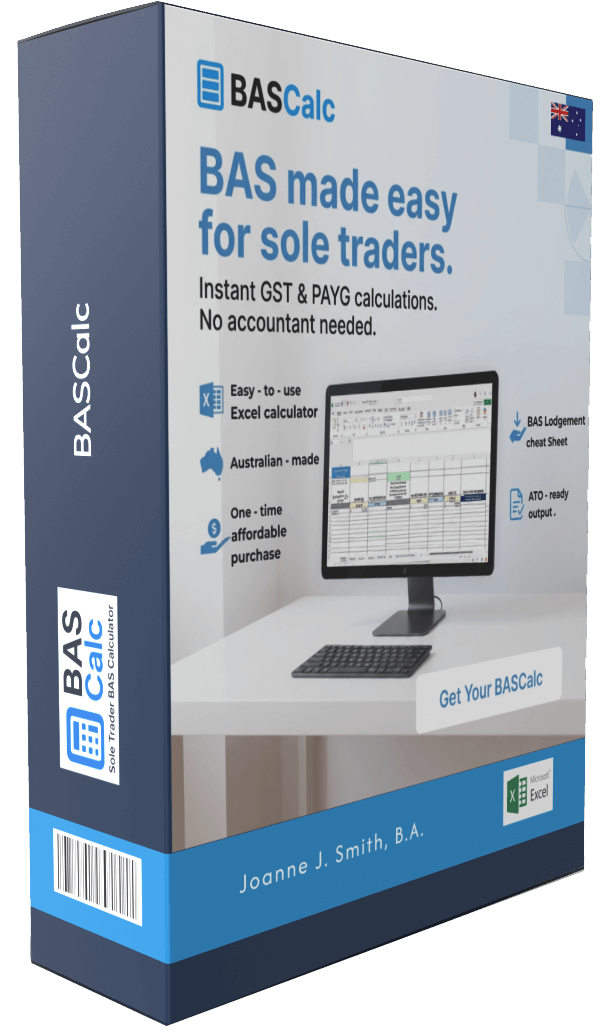
If you’re struggling to find a suitable Excel template, consider exploring BASCalc, which offers a comprehensive solution designed specifically for Australian sole traders.
A Step-by-Step Guide to Using an Excel BAS Template
Now that we’ve established the importance of using an Excel template, let’s walk through how to use one effectively for your BAS preparation.
Step 1: Download Your Template
First, you need to acquire a reliable Excel template. By checking out BASCalc, you can download a template that meets ATO specifications and is tailored for sole traders.
Step 2: Gather Your Financial Information
Before you start inputting data into the template, make sure you have all the necessary financial records on hand. This includes:
- Sales invoices
- Purchase receipts
- Bank statements
- Payroll information (if applicable)
Step 3: Enter Your Data
Begin entering your data into the designated fields in the template. Ensure that you categorize your income and expenses appropriately, as different types will affect your GST calculations differently. Don’t hesitate to refer back to your financial documents as you proceed.
Step 4: Review Automatic Calculations
One of the key advantages of using an Excel template is its ability to automatically calculate totals and GST amounts. Ensure you review these calculations for accuracy. If your template is from a reputable source like BASCalc, you can trust that the formulas are set up correctly to minimize errors.
Step 5: Save and Prepare for Submission
After completing your BAS, save the file and include any additional documentation required by the ATO. Make sure you lodge your BAS by the due date to avoid penalties.
Common Mistakes to Avoid When Preparing Your BAS
Even with an Excel template, mistakes can happen. Here are some common pitfalls to watch out for:
- Incorrectly Classifying Income and Expenses: Misclassifying can lead to inaccurate GST calculations.
- Missing Documentation: Always ensure you have supporting documents for each entry.
- Neglecting to Double-Check Totals: Before submission, carefully review all totals to confirm accuracy.
Maximizing Your Claims Through Correct BAS Preparation
Correctly preparing your BAS not only helps you remain compliant but also allows you to maximize your claims. Here are a few strategies to consider:
- Understand GST Credits: Make use of the GST credits for business expenses to lower the overall tax payable.
- Keep Accurate Records: Maintain detailed records of all financial transactions throughout the year, so you have everything handy when preparing your BAS.
- Stay Informed: Make it a habit to stay updated on changes in tax legislation that may affect your BAS.
For a tailored solution that simplifies claiming and accurate reporting, explore the options available at BASCalc.
Conclusion: Taking Control of Your BAS Prep
Preparing your BAS doesn’t have to be a stressful part of being a sole trader in Australia. By utilizing an Excel template, you can streamline the process while ensuring compliance and maximizing any potential tax benefits. With a reliable resource like BASCalc at your fingertips, you can confidently manage your BAS preparation and focus on what truly matters—growing your business.
Have you ever faced challenges preparing your BAS? What strategies or resources have you found helpful? Share your thoughts in the comments below!
#SoleTrader #BAS #ExcelTemplate #AustraliaTax #Entrepreneurship